My ReefTank tools
Welcome to the documentation of my reef tank projects.
 Home Assistant Integrations and Cards
Integrations
🐠 ha-reefbeat-component
Local Integration for Red Sea ReefBeat ecosystem.




Manage your Red Sea ReefBeat devices locally (no cloud required): ReefATO+, ReefControl, ReefControl-Power, ReefDose, ReefLed, ReefMat, ReefRun and ReefWave.
⚠️ This is not an official Red Sea repository. Use at your own risk.
Key features:
- 100% local control — no cloud dependency for most devices
- Auto-detection of devices on local network (with manual mode and subnet support)
- Custom icons for all ReefBeat devices
- Firmware update notifications (with optional Cloud API)
- Live configuration update mode for real-time monitoring
- Multi-language support
Supported devices:
✅ Supported 🚧 In progress 🧪 Untested (may work) ❌ Not yet supported
| Device | Models | Status |
|---|---|---|
| ReefATO+ | RSATO+ | ✅ |
| ReefControl | RSCONTROLPRO | ✅ |
| ReefControl | RSCONTROLLITE | 🧪 |
| ReefControl-Power | RSPOWER6 | ✅ |
| ReefControl-Power | RSPOWER8 | 🧪 |
| ReefDose | RSDOSE2, RSDOSE4 | ✅ |
| ReefLed | G1 (RSLED50/90/160), G2 (RSLED60/115) | ✅ |
| ReefLed | G2 (RSLED170) | 🧪 |
| ReefMat | RSMAT250, RSMAT500, RSMAT1200 | ✅ |
| ReefRun | RSRUN | ✅ |
| ReefWave | RSWAVE25, RSWAVE45 | ✅ |
ReefWave specifics: ReefWave is the only device tied to the ReefBeat cloud. Three operating modes are available — Cloud, Local, and Hybrid — so you can choose your balance between full local control and sync with the ReefBeat mobile app.
Installation: Available directly in HACS — search for “redsea” or “reefbeat”.
🌊 ha-aquamedic-component
Control for Aqua Medic pumps via Home Assistant through the Gizwits cloud API.


Control your Aqua Medic pumps from Home Assistant via the Gizwits cloud API (same backend as the official Aqua Medic app).
Supported devices:
✅ Supported 🚧 In progress 🧪 Untested (may work) ❌ Not yet supported
| Device | Status |
|---|---|
| EcoDrift / SmartDrift x.1 / x.3 (wavemaker) | ✅ |
| DC Runner x.1 / x.2 / x.3 (return pump) | ✅ |
| DC Runner (skimmer pump) | ✅ |
| Reefdoser EVO (dosing pump) | ❌ — Ask for it |
| T-Controller Twin (temperature controller) | ❌ — Ask for it |
| Aquarius / Spectrus (lighting) | ❌ — Ask for it |
EcoDrift / SmartDrift features:
- Power on/off, wave type (Pulse/Tide), feeding mode, timer, 0-10V control mode
- Wave modes: Classic, Sine, Random, Constant flow
- Linkage: Independent, Master, Slave
- Flow rate, frequency, and feeding duration controls
- Full diagnostic fault sensors (overcurrent, overvoltage, overtemperature, locked rotor, dry run, UART)
DC Runner features:
- Power on/off, feeding mode (10 min pause), 0-10V control mode
- Flow rate control (30–100%)
- Diagnostic fault sensors (dry run, locked rotor, voltage)
Installation: In HACS, add https://github.com/Elwinmage/ha-aquamedic-component as a custom repository (Integration), then search for “Aqua Medic”.
🐙 ha-reef-maintenance-component
Maintenance tracking for equipment Home Assistant cannot reach.


Flow pumps, return pumps, skimmers, media reactors — anything you service by hand. One config entry per brand, one device per piece of equipment, four entities per task: a button that records the job, a number for the interval, a switch to mute alerts and a date to backdate the last intervention.
Key features:
- Presets for Tunze, Jebao and generic gear, with manufacturer intervals where one is published
- A shared library of 17 tasks, translated in 8 languages
- Backdating, so a new piece of equipment does not start from “never done”
reef_maintenance.resetservice — stick an NFC tag on the pump and scan it when you are done- Same
reef_rolecontract as the connected integrations, so tasks land in the card’s maintenance view
Installation: In HACS, add https://github.com/Elwinmage/ha-reef-maintenance-component as a custom repository (Integration).
Cards
🪸 ha-reef-card
Custom Lovelace card for reef dashboards.




The Reef Card for Home Assistant helps you manage your reef aquarium directly from your dashboard. Combined with ha-reefbeat-component, it automatically detects and supports your Red Sea (ReefBeat) devices.
Non-Redsea devices can also be supported — request it here.
Supported devices:
✅ Supported 🚧 In progress 🧪 Untested (may work) ❌ Not yet supported
| Device | Status | Highlights |
|---|---|---|
| ReefDose (RSDOSE2/4) | ✅ | Full scheduling, manual dosing, priming and calibration, supplement management, usage tracking |
| ReefMat (RSMAT250/500/1200) | ✅ | Animated roll status, manual/auto/scheduled advance, sensor status, weekly and monthly graphs |
| ReefRun (RSRUN) | ✅ | Pump speed control, schedule editor, overskimming management |
| ReefATO+ | ✅ | Water level, leak probe, pump diagnostics, consumption graph, leak buzzer |
| ReefControl (RSCONTROLPRO) | ✅ | Probes with level bars and 24 h history, guided pH/EC/ORP/temperature calibration, 12V ports, ATO, buzzer, paired power center |
| ReefControl (RSCONTROLLITE) | 🧪 | Probes with level bars and 24 h history, guided pH/EC/ORP/temperature calibration, 12V ports, ATO, buzzer, paired power center |
| ReefControl-Power (RSPOWER6) | ✅ | Per-socket control, on/off/schedule/probe modes, linked devices, local temperature probe or ReefControl link |
| ReefControl-Power (RSPOWER8) | 🧪 | Per-socket control, on/off/schedule/probe modes, linked devices, local temperature probe or ReefControl link |
| ReefLed (G1/G2) | 🚧 | Next step on the roadmap |
| ReefWave | ❌ | Vote for priority |
| Aqua Medic EcoDrift / SmartDrift | ❌ | Vote for priority |
| Aqua Medic DC Runner (return, skimmer) | ❌ | Vote for priority |
ReefDose highlights:
- 6-zone card: config/WiFi, states, manual dosing with shortcuts, head scheduling with circular progress, supplement management with brand images, and upcoming dose queue
- Supports priming and calibration workflows
- Supplement library with images for Red Sea, Tropic Marin, Quantum, ATI, Aqua Forest, and more
ReefMat highlights:
- 7-zone card with animated background that changes based on roll usage (0%–100%)
- Real-time roll info: remaining length, daily average, estimated days left
- Manual, automatic, and scheduled advance controls
- Level sensor status display (connected, disconnected, dirty)
- Weekly and monthly consumption graphs
Installation: Available directly in HACS — search for “reef-card”.
Configuration: Without the device parameter, the card automatically detects all ReefBeat devices and lets you choose. Set the device parameter to force a specific device.
 ReefDose demo |
 ReefMat demo |
 ReefRun demo |
 Maintenance demo |
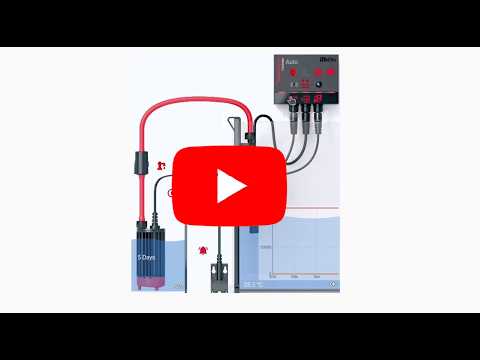 ReefATO+ demo |
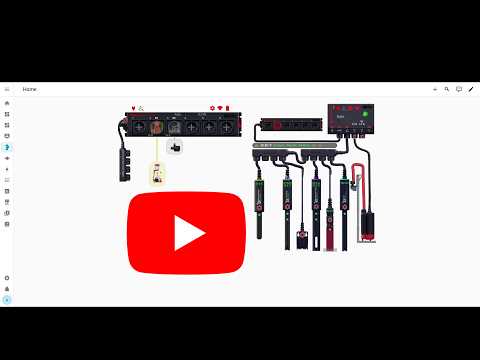 ReefControl & ReefControl-Power demo |
🔌 Infrastructure
⚡ reefbeatEnergyBackup
Autonomous battery backup system for Red Sea reef aquariums.


Keep your ReefWave, ReefRun and DC Skimmer running during power outages with a 24V LiFePO₄ battery, a Raspberry Pi and smart pump degradation.

Key features:
- Battery monitoring via INA226 (I2C) + optional Victron BLE charger
- Instant outage detection via 230V relay on GPIO
- Progressive pump degradation — SoC-based levels computed from a target autonomy
- 3-level network failover — Ethernet → Wi-Fi → autonomous mirror hotspot
- 4G LTE failover — notifications and ReefBeat cloud access via USB modem or phone tethering
- Push notifications via ntfy.sh (free, no account required)
- Home Assistant integration — MQTT auto-discovery, update entity, battery test blueprint
- Self-update — checks GitHub for new versions, HA update entity with “Install” button
Hardware levels:
| Level | What you get | Budget |
|---|---|---|
| 1 — Basic | Battery + cables, passive backup | ~290 € |
| 2 — Normal (recommended) | + RPi + INA226 + relay, full monitoring & automation | ~402 € |
| 3 — Advanced | + Victron BLE charger, connected breaker, 4G modem | ~627 € |
Installation:
curl -sL https://raw.githubusercontent.com/Elwinmage/reefbeatEnergyBackup/main/install.sh | sudo bash
An interactive wizard configures everything: device scan, battery capacity, SoC levels, MQTT, notifications, 4G, scheduled reboot.
Works standalone or as a complement to ha-reefbeat-component for a fully integrated reef management setup.
🐬 ha-reef-blueprints
Notification blueprints for the whole ecosystem.

Alerts you on your phone about overdue maintenance, found through the shared reef_role attribute so every integration is covered, and about devices that went unreachable. Eight languages, one import button each.
Installation: import from the repository, one button per language.
📐 3D Models
ReefRun DC Skimmer
📦 Red Sea DC Skimmer impeller tool
Video demonstration:
💬 Contact & Support
- Questions and feature requests: open a discussion on the project concerned — ha-reefbeat-component · ha-aquamedic-component · ha-reef-card · ha-reef-maintenance-component · reefbeatEnergyBackup
- Bug reports: open an issue on that same project, with the details.
- Support the project:
